
So, you’re forced to migrate your Android devices to a web-based interface to connect to Oracle WMS.
- The users hate it because they are no longer able to use the keyboard shortcuts that they’d memorized over time.
- Productivity plummets.
Give your workers their keyboards back. Adopt Georgia SoftWorks’ industrial browser.
Keyboard challenge #1
Commands blocking the screens
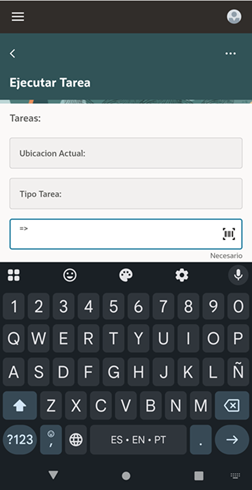
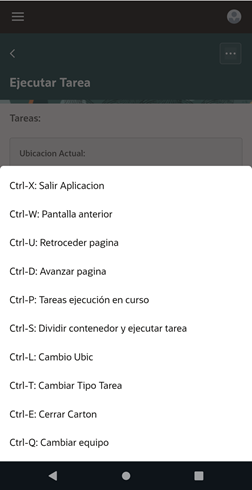
When the user selects the on-screen command menu (three-dot menu on the upper right-hand corner), the list of commands blocks the entire page.
GSW Solution
Ctrl-P example
Physical keyboard solution
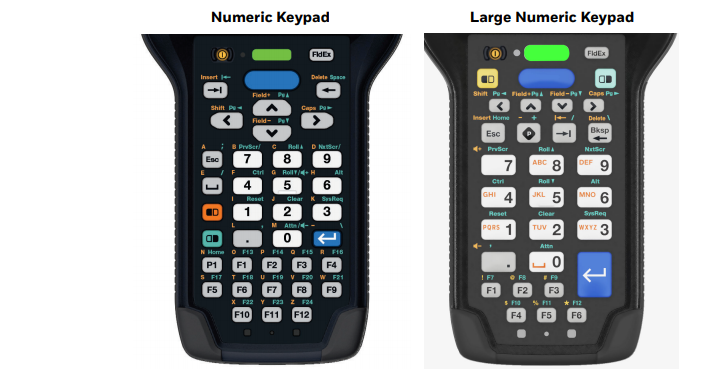
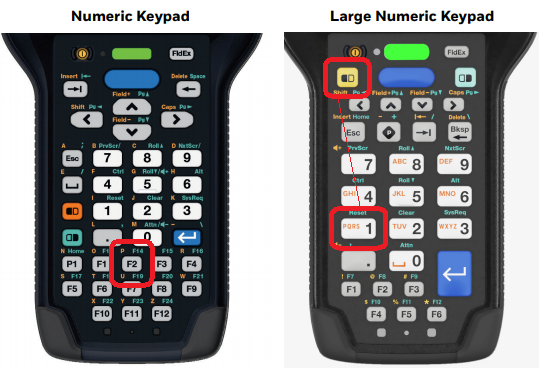
Suppose the user wants to select an open task by pressing the Ctrl-P command. In the old plain-text interface days, the user would most likely have pressed a physical key that was remapped to the Ctrl-P sequence, such as the F2 key in the numeric keypad example on the left image below, or yellow-1, in the large numeric keypad example on the right image.
GSW ConnectBot allows you to keep your physical key mappings in the Redwood interface as well.
Virtual keyboard solution
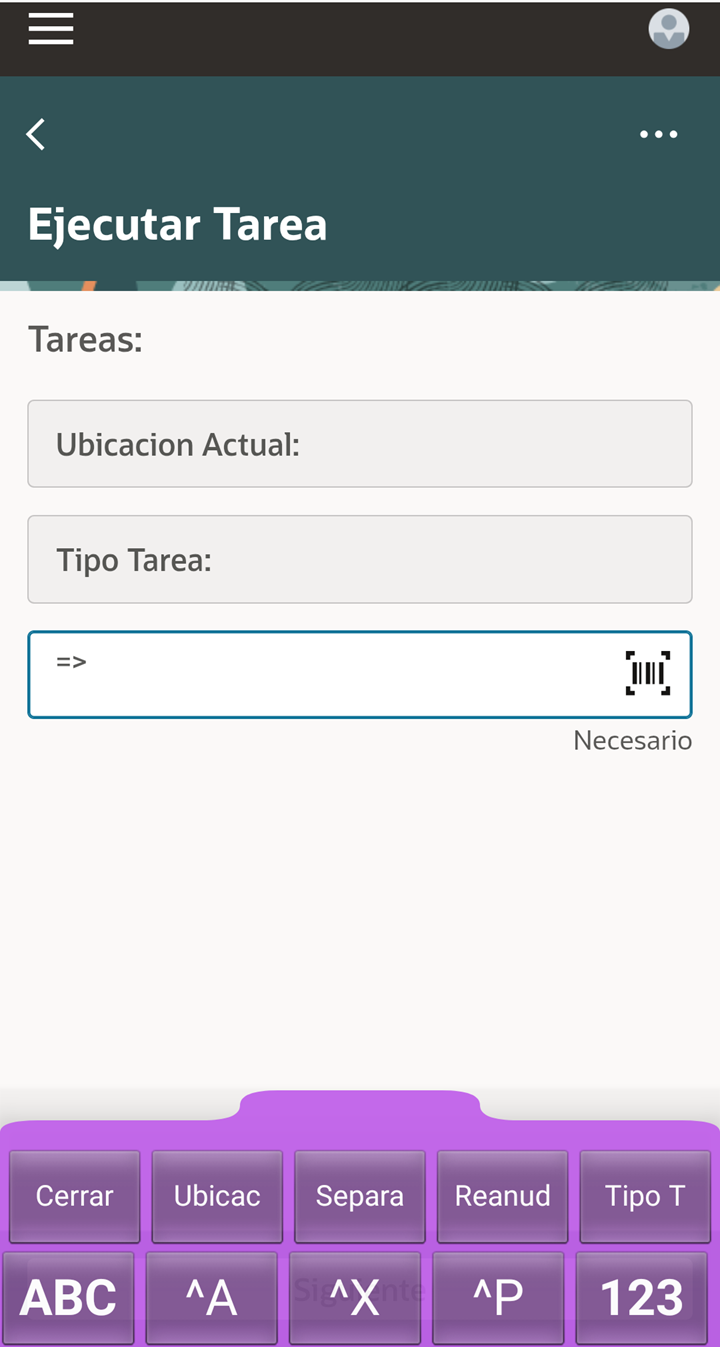
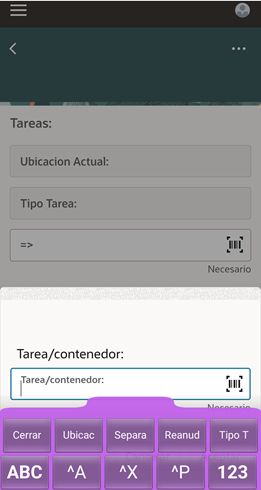
GSW ConnectBot allows for customization of the virtual keyboard. In the example below, Ctrl-P has been added to two buttons in a customized purple virtual keyboard: one is labeled ^P and the other, «Reanud».
Keyboard Challenge #2
Chrome-based Redwood is not intuitive
Let’s continue with our Ctrl-P example.
If the user were to use the Chrome-based Redwood interface, pressing Ctrl-P would appear to block the device, as there is no indication on the screen of what to do next. The problem lies in the virtual keyboard overlapping the dialog behind it. Click on the side arrows in the image below to experience the problem.
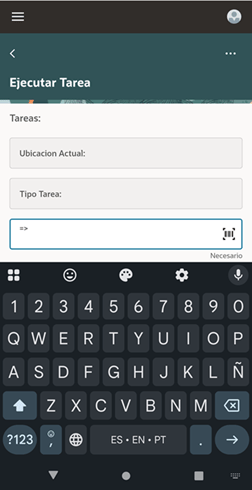
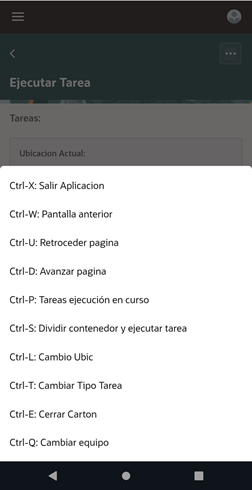
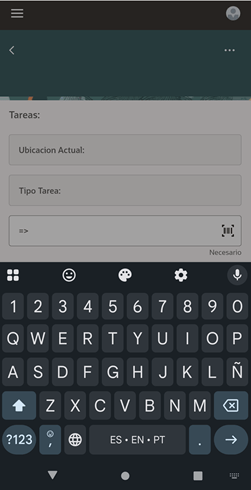
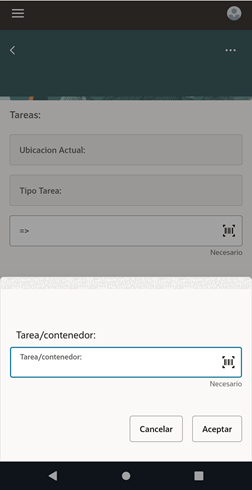
If using the Chrome-based Redwood interface, the workers should be trained to hide the virtual keyboard after selecting Ctrl-P to proceed with the task.
GSW Solution
When using GSW ConnectBot, the customized compact virtual keyboard allows for the dialog to be visible immediately after selecting Ctrl-P. Furthermore, the virtual keyboard «floats», allowing the user to move it around the screen for greater readability.
More reasons to use GSW ConnectBot for Oracle WMS
In addition to the keyboard versatility gained by using GSW ConnectBot, the IT organization benefits from tools that help maintain uninterrupted operations with minimum effort, such as:
- Monitoring of WMS user activity
- Preventive monitoring of wireless connectivity, battery levels and physical drops.
- Zero-touch device configuration
- Compatibility with MDM platforms
 MOBILIS
Debe estar conectado para enviar un comentario.